Sell on credit.
Get paid back. Keep every balance right.
Customer accounts, layaway, gift cards and bank-transfer payments for Loyverse POS — the features merchants have asked Loyverse for since 2018, ready today.
- 14-day free trial
- Works with the Loyverse you already use
- Your money never passes through us
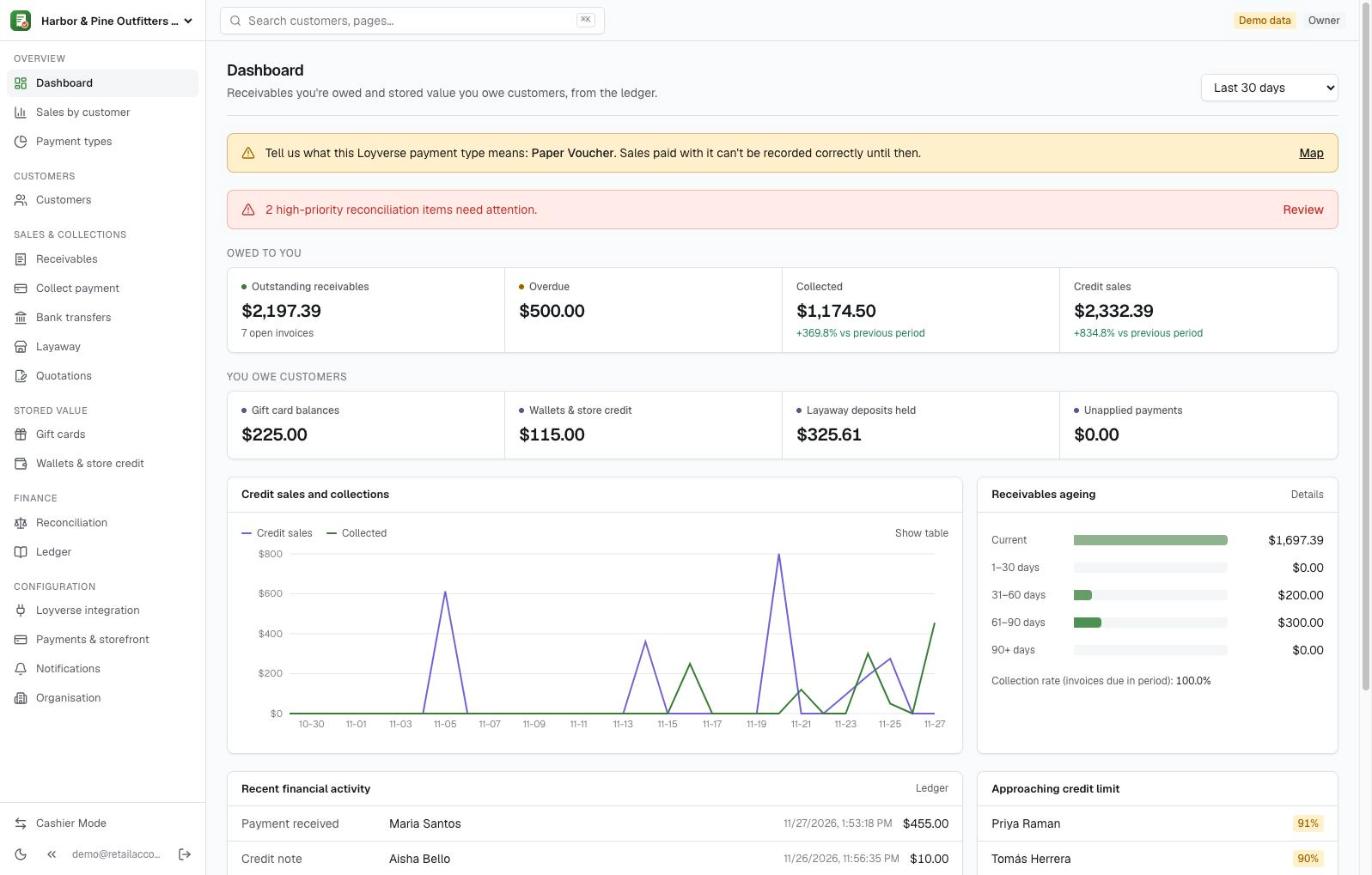
The gap
Loyverse runs your till. It doesn't run your customers' accounts.
On the Loyverse community, merchants have asked for credit sales, layaway, gift cards and store credit for years — and patched around it with fake payment types and notes in ticket comments. Zetliq turns those workarounds into real, reconciled accounts.
- “In-house accounts” for customers who pay later
- Deposits & instalments — layaway
- Gift cards and store credit with real balances
- Statements with your business details
Everything on account
One place for every balance between you and your customers
What they owe you, what you owe them, and how they pay — kept in a proper double-entry ledger, not a notebook.
Customer accounts & credit
Let trusted customers buy now and pay later. Credit limits, payment terms, groups for wholesale buyers, and every invoice tracked to the cent.
Learn howLayaway / lay-by
Hold items with a deposit while customers pay in instalments. Stock is reserved, schedules are signed online, and deposits stay safe as liabilities.
Learn howGift cards & wallets
Sell digital and printed gift cards, top up customer wallets and issue store credit — all redeemable at your Loyverse till.
Learn howBank transfer, QR & cash
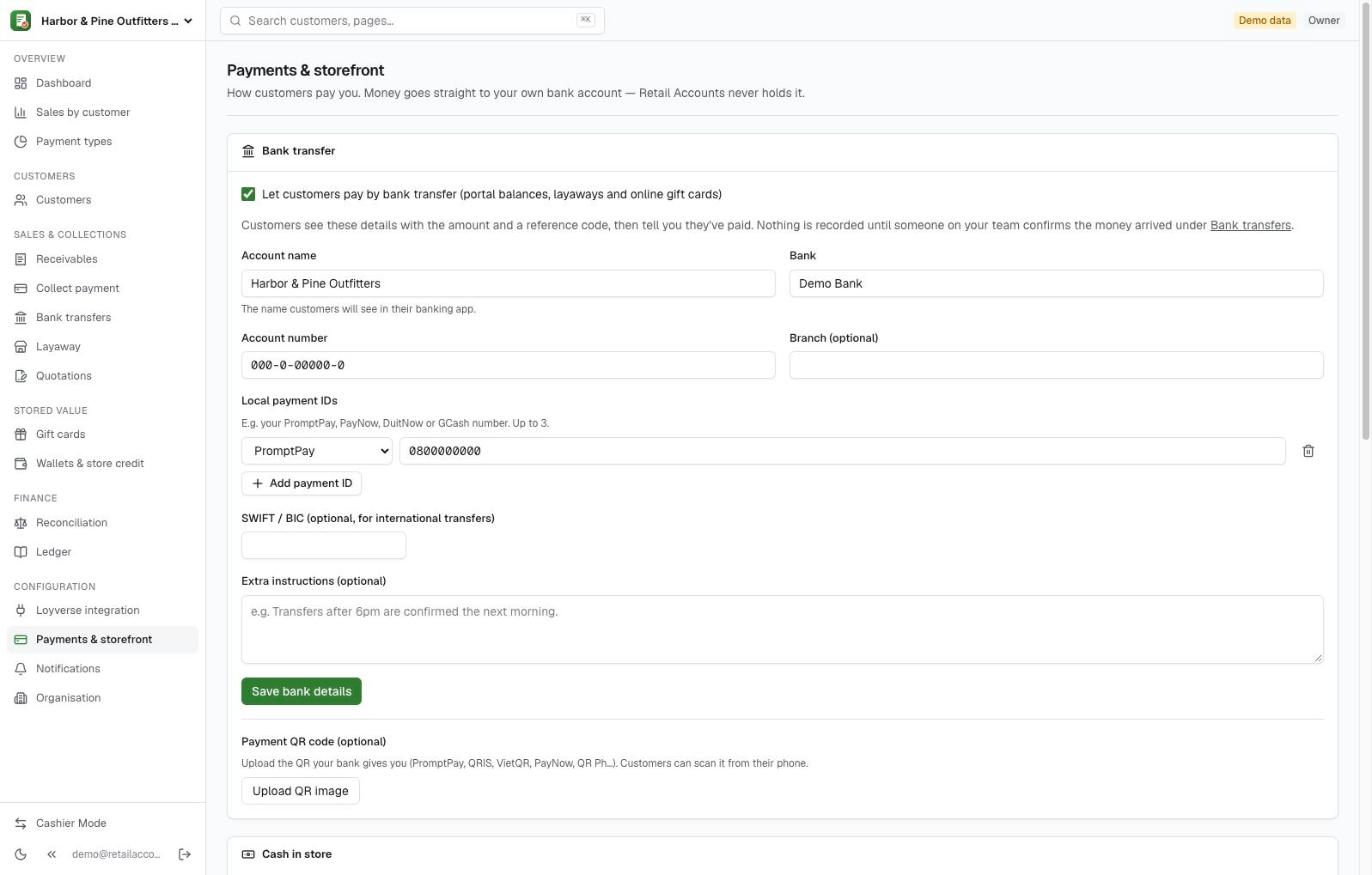
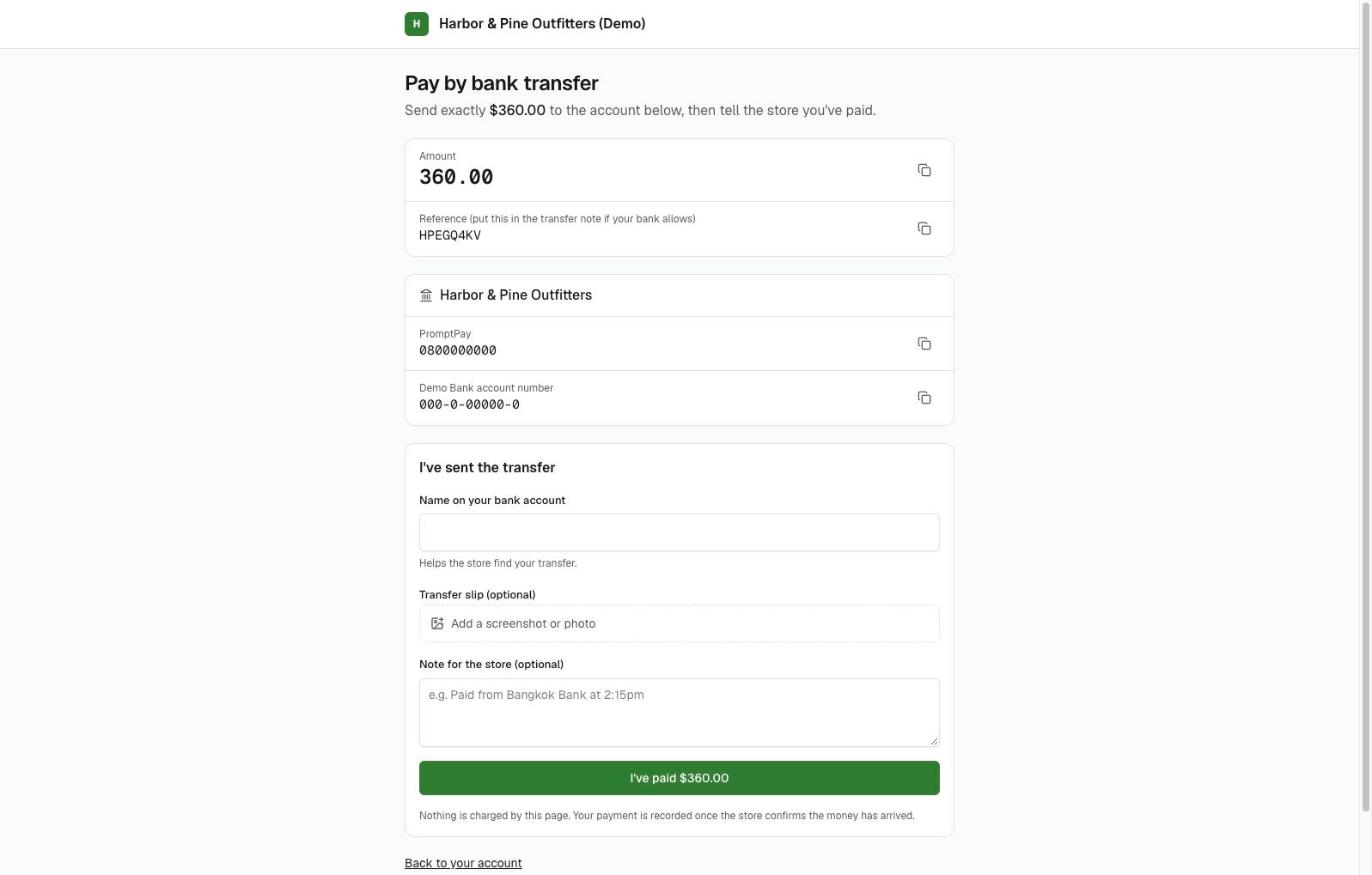
Customers see your bank details, mobile-money or instant-payment IDs (M-Pesa, MoMo, OPay, PromptPay…) and QR code, then tell you they've paid. You confirm, it's recorded.
Learn howCustomer portal
Every customer gets a private page to see what they owe, pay, download statements and accept payment plans — no app to install.
Learn howReminders that get you paid
Friendly emails before and after due dates, layaway expiry notices, receipts and birthday wishes — sent at a sensible local hour.
Learn howHow it works
Up and running in an afternoon
Sign in with Loyverse
One click with your Loyverse account. Your store, currency and customers come across automatically — no new password, no spreadsheet import.
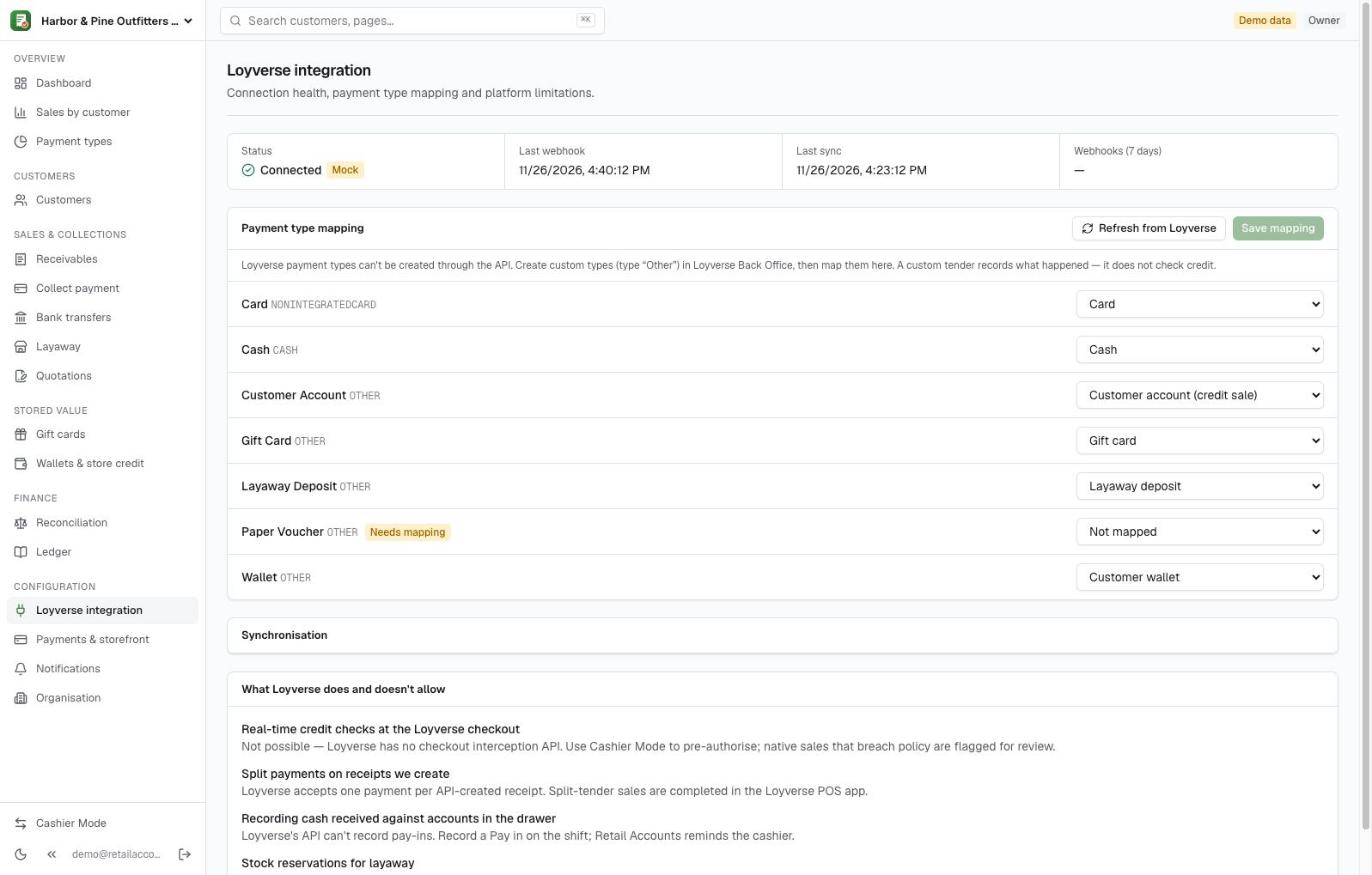
Tell us what your payment types mean
Map the payment types you already use at the till — “Customer Account”, “Gift Card”, “M-Pesa” — so every sale lands in the right place.
Sell as usual. We keep the books.
Ring up sales in Loyverse. Credit sales, deposits and redemptions flow into a double-entry ledger, and customers get their statements and reminders.
Get paid the way your customers pay
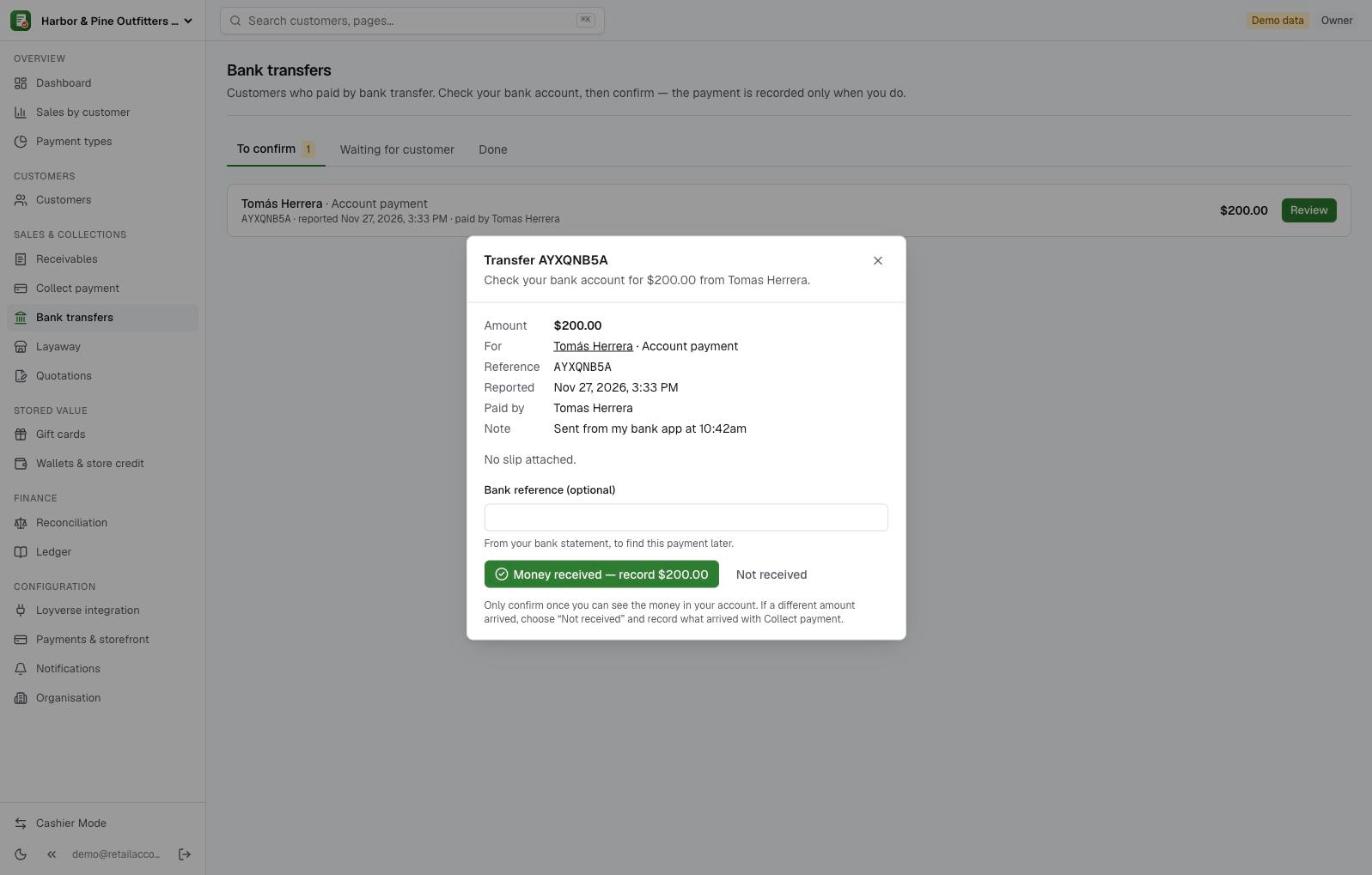
Bank transfer, QR or cash. You confirm. It's booked.
- Your details, your QRCustomers see your account, mobile-money and payment IDs, and your QR code, with the exact amount and a short reference.
- Nothing posts until you checkThey tap “I've paid” and can attach the slip. You see it in Bank transfers and confirm once the money lands.
- Cash at the counter still worksTake payments with the same payment types you use in Loyverse — Cash, Card, M-Pesa, PromptPay — and they're reported side by side.
Built for how your customers pay
Mobile money, local transfers, any currency, your words.
Loyverse merchants sell all over the world. Zetliq knows the mobile-money and instant-payment IDs your customers use, handles every currency exactly — including ones without decimals — and lets you call layaway whatever your customers call it.
- 25+
- payment brands built in
- 0–4
- currency decimals, exact
- Your word
- Layaway, Lay-by or your own
Know your customers
See who buys, how often, and who owes what
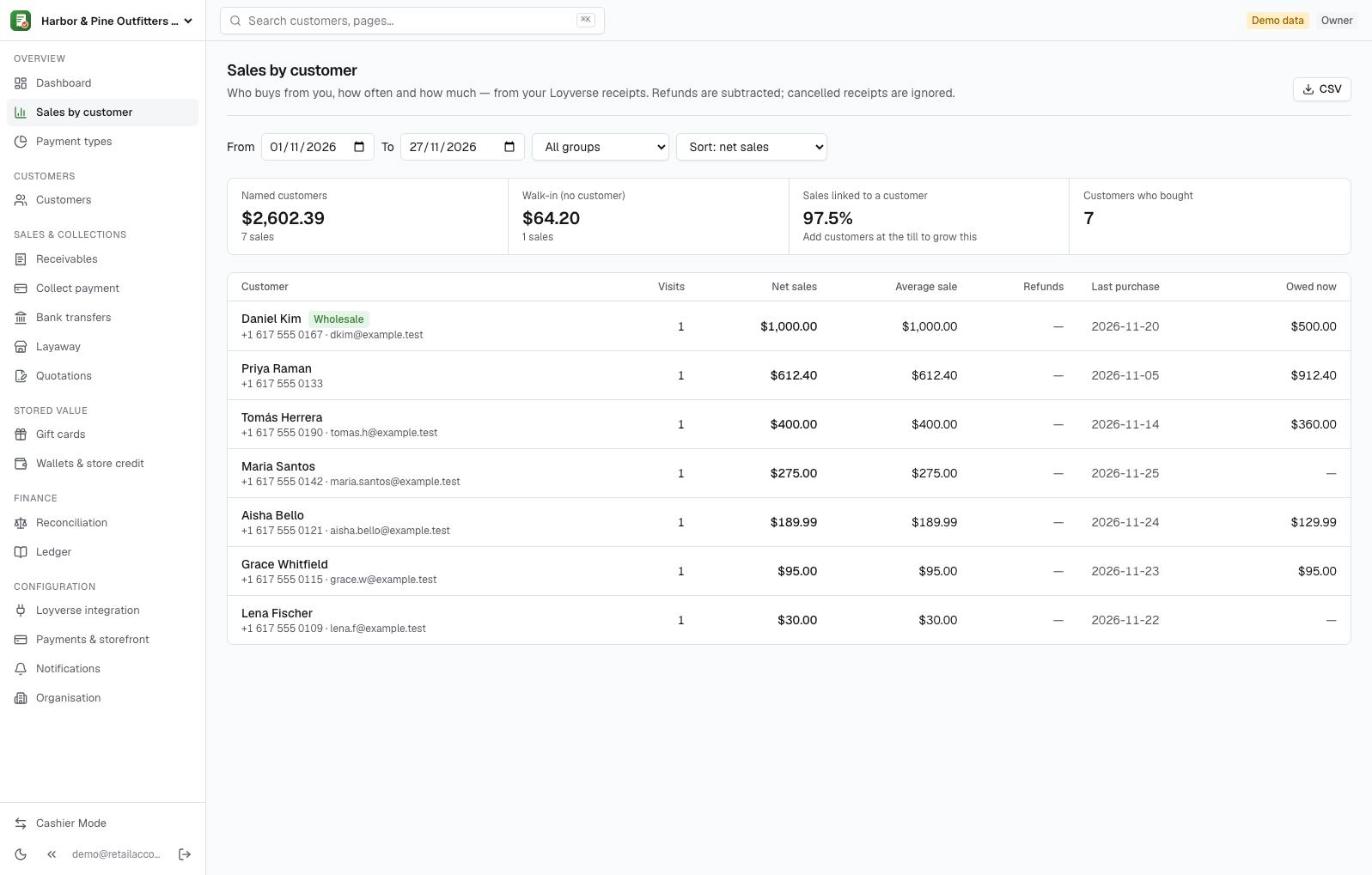
Sales by customer
Visits, net sales, average sale, last purchase and what each customer owes — from your Loyverse receipts.
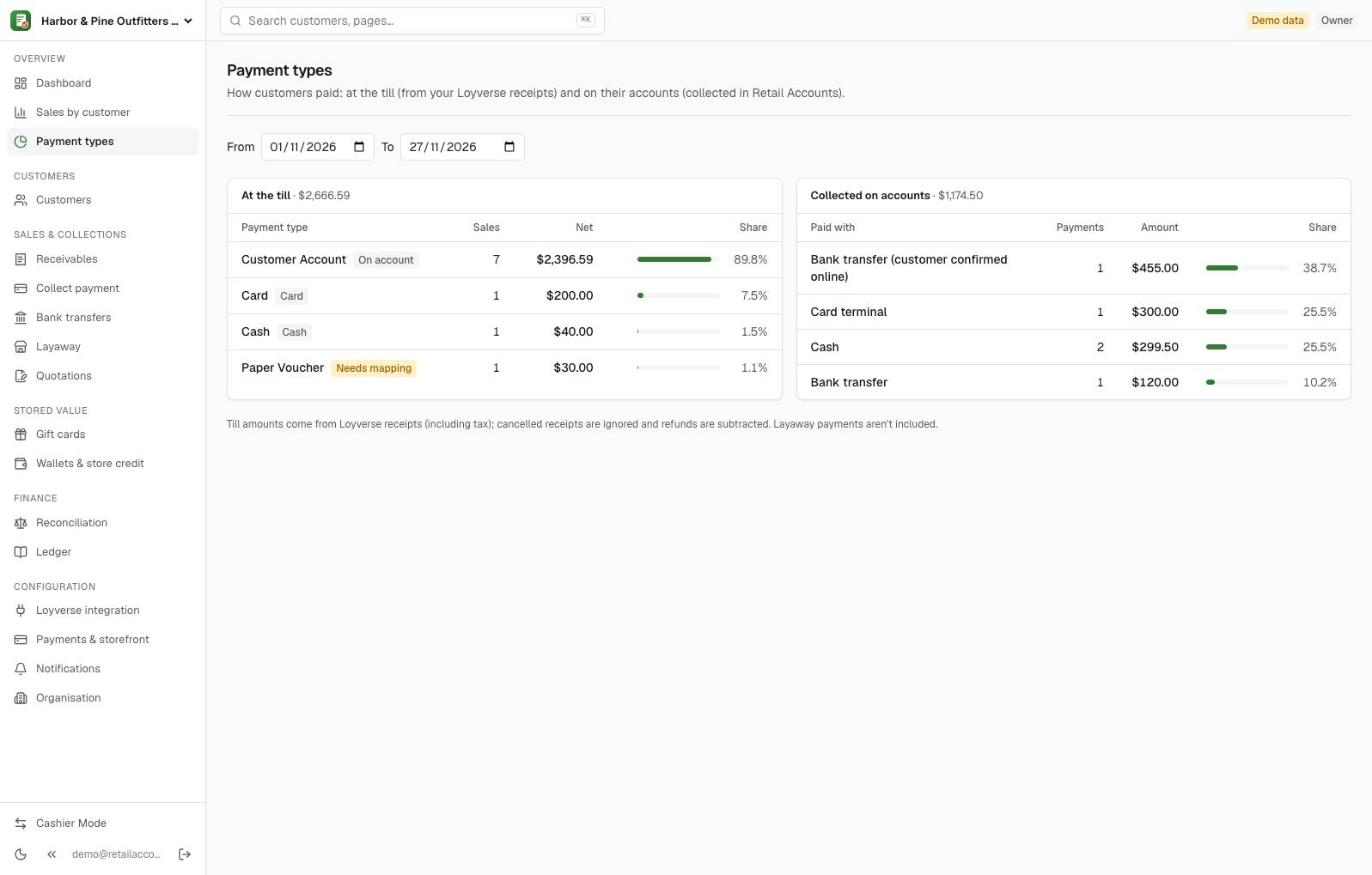
Payment types
How customers paid at the till and on their accounts, side by side, so you know where your money comes from.
Trust
Built like accounting software, because it is
Every balance is the result of balanced journal entries you can trace back to a receipt, a payment or a person.
Double-entry ledger
Balances are never edited directly. Corrections are reversals, so history is never lost.
We never hold money
Customers pay you directly. Transfers post only after you confirm they arrived.
Encrypted Loyverse access
Your Loyverse connection tokens are encrypted at rest and never shown to anyone.
Your data, walled off
Every shop's data is isolated at the database level, not just in the app.
Roles & permissions
Decide who can sell on credit, change limits, confirm transfers or see reports.
Nothing guessed
When Loyverse and your books disagree, you get a clear item to review — never a silent fix.
Do I need to replace Loyverse?
Do you hold my customers' money?
How does a credit sale work at the till?
Is it “layaway” or “lay-by”?
Which currencies and countries are supported?
How do I get help?
Give your best customers an account they'll love paying off
Sign in with Loyverse and see your customers, balances and payment types in minutes.