Selling on account
Layaway (lay-by)
Hold items with a deposit while the customer pays the rest over time.
Layaway — called lay-by in Australia, New Zealand and South Africa — lets a customer reserve items with a deposit and pay the rest in instalments before collecting them. You can choose the word customers see in Organisation settings.
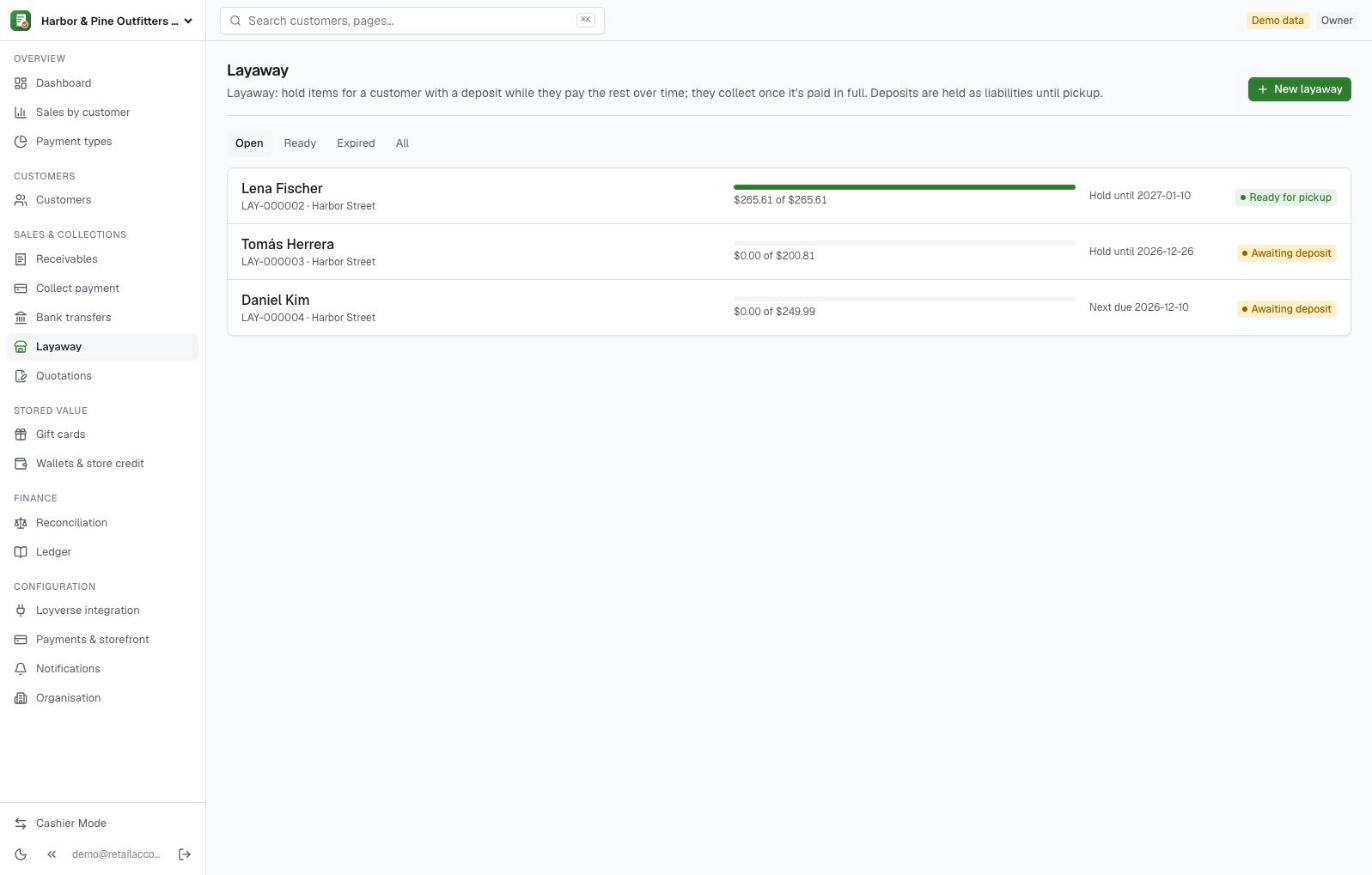
- 1Every layaway screen explains the idea in plain words.
- 2New layaway: pick the customer, store, items (reserved from stock), deposit and schedule.
- 3Open, ready for pickup, expired and all layaways.
- 4Each layaway with its hold date and status.
- 5How much has been paid.
A layaway
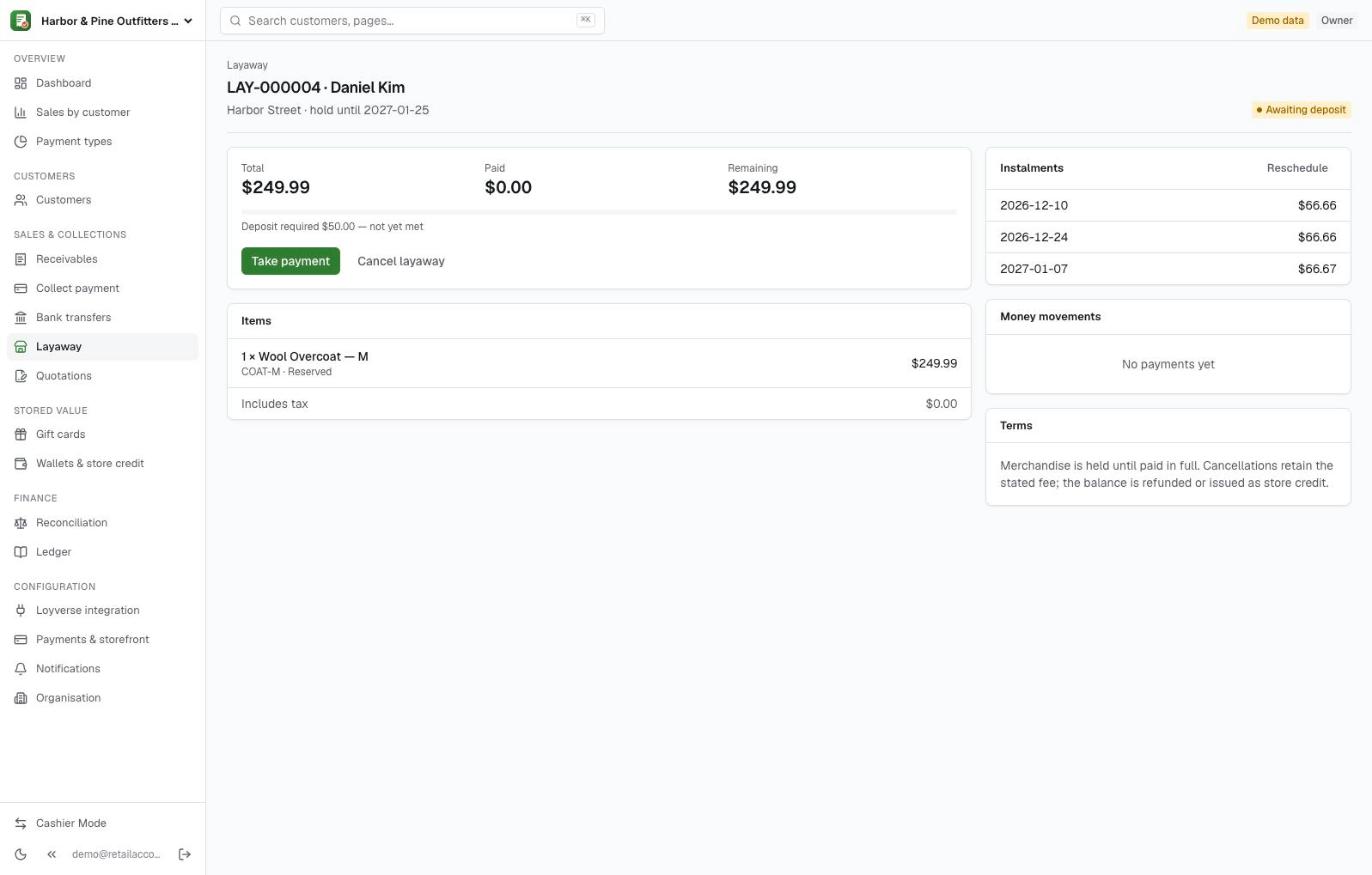
- 1Status: awaiting deposit → active → paid in full → ready for pickup → fulfilled.
- 2Total, paid and remaining, with the deposit requirement.
- 3Take payment with your Loyverse payment types; customers can also pay online by bank transfer.
- 4Instalments with due dates; Reschedule if you agree new dates.
- 5Items held for the customer.
Paid in full and pickup
When the balance reaches zero the customer is told it's paid; mark it ready when the goods are prepared, then hand them over. At the Loyverse till, use your Layaway Deposit payment type so the sale draws down the deposit already paid.
Cancelling
Cancelling releases the reserved items. The deposit is refunded or issued as store credit, less any cancellation fee in your terms.
Stock in Loyverse
Loyverse has no API for stock reservations, so reservations are tracked in Zetliq and Loyverse stock changes only when the final sale is rung up.
Something unclear? Tell us.