Your customers
Emails & reminders
Which emails customers receive, when they're sent, and how to change the wording.
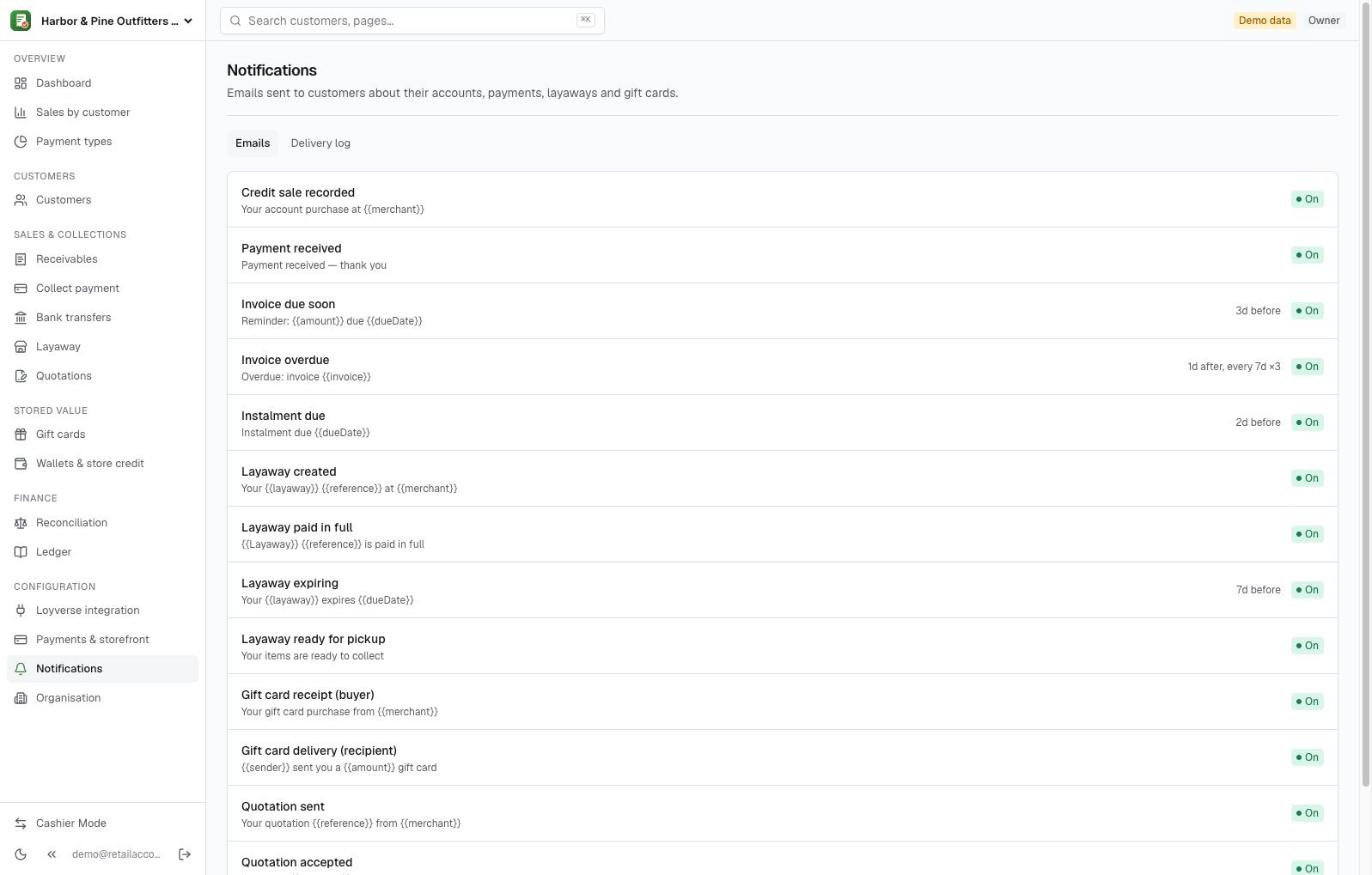
- 1Emails and the Delivery log of everything sent.
- 2Reminders run on a schedule relative to the due date.
- 3Layaway emails use your chosen word (
{{layaway}}). - 4Turn any email on or off and edit its text.
| When (default) | |
|---|---|
| Invoice due soon | 3 days before the due date |
| Invoice overdue | 1 day after, then every 7 days, up to 3 times |
| Instalment due | 2 days before |
| Layaway expiring | 7 days before the hold ends |
| Birthday | On the day, only if the customer agreed |
| Receipts and gift card delivery | Immediately |
- Reminders are delivered between 9:00 and 21:00 in your time zone.
- A reminder is cancelled automatically if the invoice is paid before it goes out.
- Every reminder has an unsubscribe link. Receipts are always sent.
- Use variables such as
{{name}},{{amount}},{{dueDate}}and{{merchant}}in your own wording.
Something unclear? Tell us.