Payments & stored value
Gift cards, wallets & store credit
Sell gift cards in store and online, top up wallets and issue store credit.
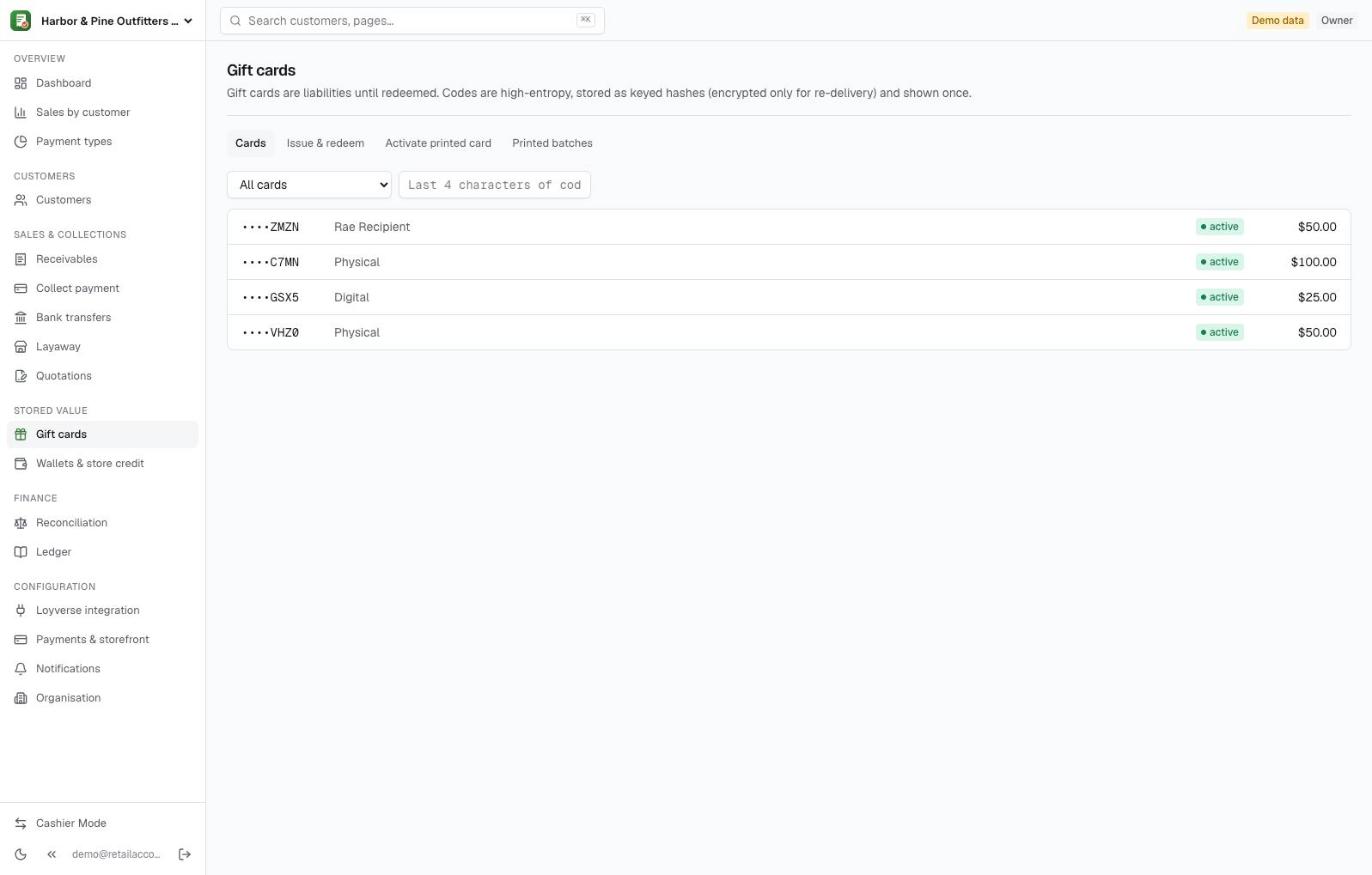
- 1Cards, Issue & redeem, Activate printed card and Printed batches.
- 2Filter by status or search by the last four characters of a code.
- 3Every card with its masked code, recipient, status and balance.
- Codes are secret. A code is shown once at issue; we store only a keyed hash for lookup (and an encrypted copy for re-sending a digital card).
- Printed cards are created in batches with a one-time CSV for your printer and only become spendable when activated at the till.
- At the Loyverse till, customers spend gift cards and wallets with your mapped Gift Card and Wallet payment types.
Sell gift cards online
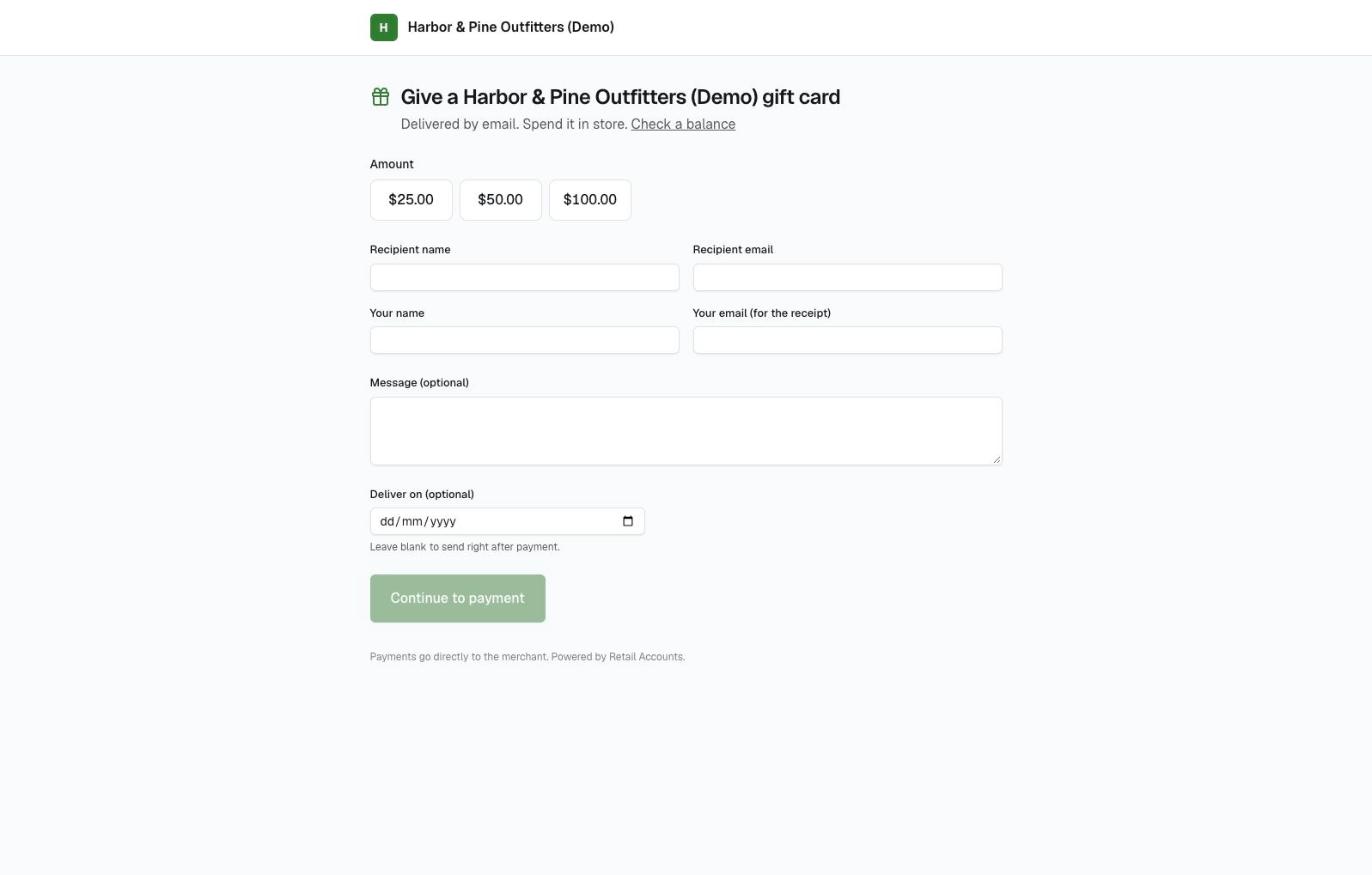
- 1Amounts suited to your currency (e.g. ฿500 / ฿1,000 / ฿2,000).
- 2Recipient and buyer details; an optional message and delivery date.
- 3Anyone can check a balance with their code.
- 4Continue to payment — by bank transfer to you. The card activates when you confirm the money arrived.
Wallets & store credit
A wallet holds money a customer has prepaid; store credit is value you give (for example instead of a refund). Both are liabilities until spent. A wallet has a QR code that cashiers scan in Cashier Mode to find it quickly — spending still needs staff confirmation. Find them under Wallets & store credit or on the customer page.
Something unclear? Tell us.