Selling on account
Collecting payments
Record money a customer pays toward their account, with your own Loyverse payment types.
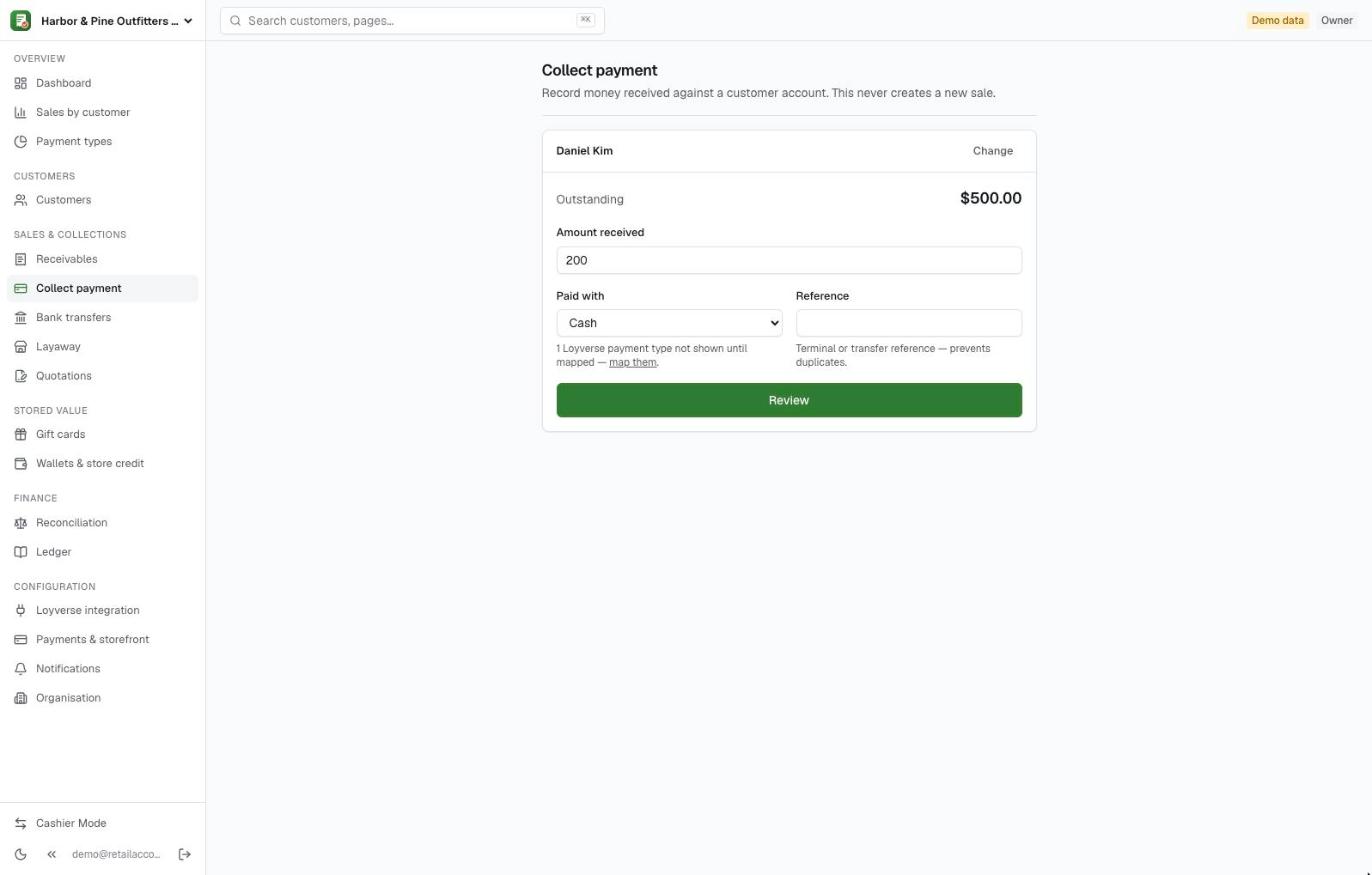
- 1Amount received.
- 2Paid with — your own Loyverse payment types (Cash, Card, PromptPay…). Types that can't take money, such as Customer Account, aren't offered.
- 3Types that still need mapping are hidden until someone maps them.
- 4Reference from the card terminal or bank — it also prevents recording the same payment twice.
- 5Review before anything is saved.
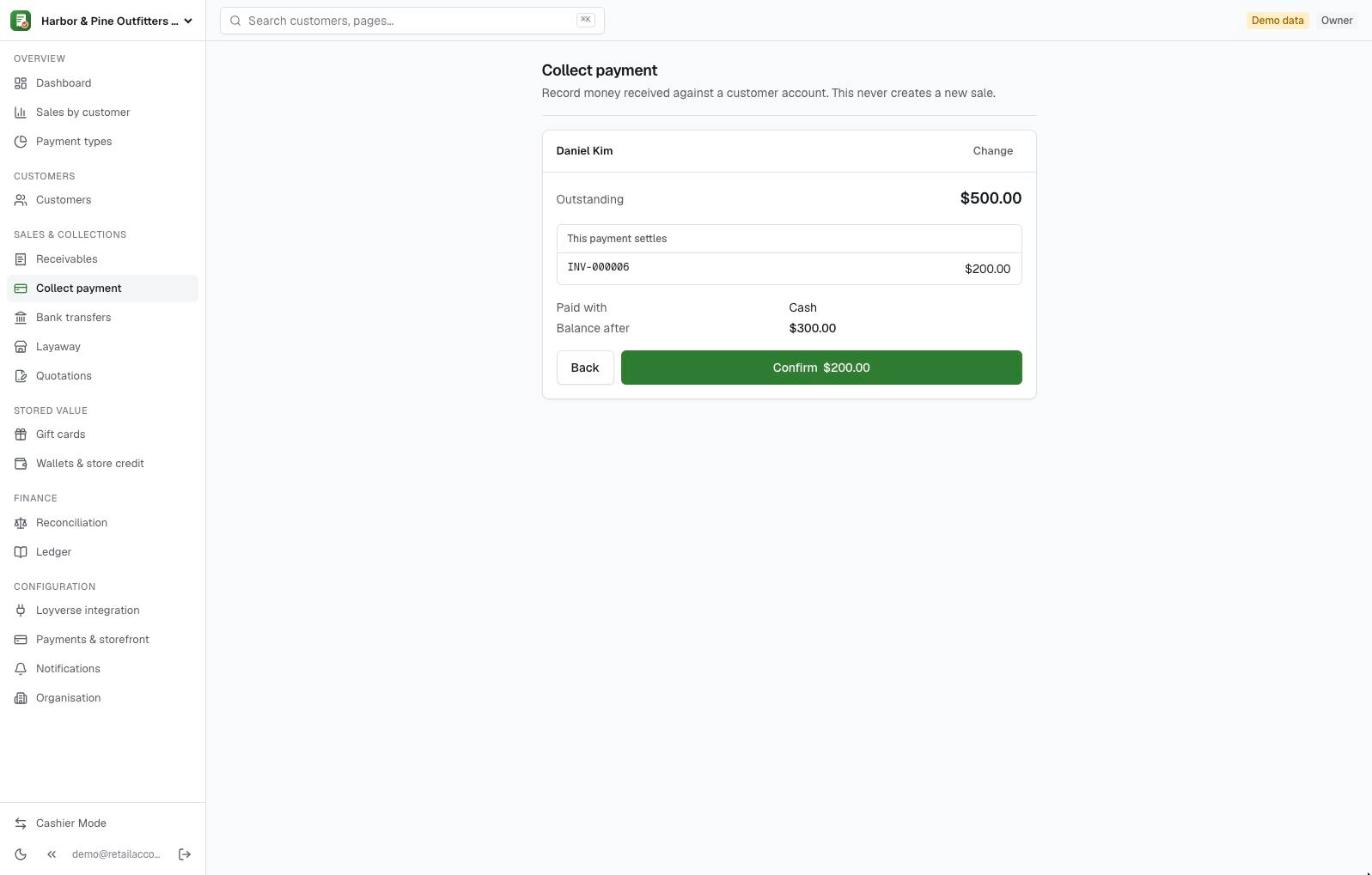
- 1Exactly which invoices this payment settles, oldest first.
- 2Payment type and the balance after this payment.
- 3Confirm — the payment is posted once, even if you tap twice or the connection drops.
Paid more than they owe?
The extra is kept as credit on the customer's account and used against their next invoice.
Cash in the drawer
Account payments aren't Loyverse sales, so after taking cash record a Pay in on the Loyverse shift for the same amount — the confirmation screen reminds you.
Something unclear? Tell us.